Houdini Karma Shading Examples
In Karma CPU you can use both the Principled Shader and MaterialX; however, in Karma XPU, only MaterialX is fully supported.
See also Textures in Karma for more examples related to image textures and noise.
There are many free shaders accessible via the Material Linker that can be used from either the standard catalog or AMD catalog (click the gearbox in Houdini 20+). The examples below focus on tweaking these materials. See also the Karma and Houdini quick start video for an overview.
Color Variation
- hiplckarmaMtlXColorVariation.hiplc — basic color variation with MtlX
- hipnckarmaMtlXColorVariation.hipnc — adds another MtlX option
- hipncpiecesOfGeoBoolean.hipnc — MtlX Geometry Color node, rounded edges
-
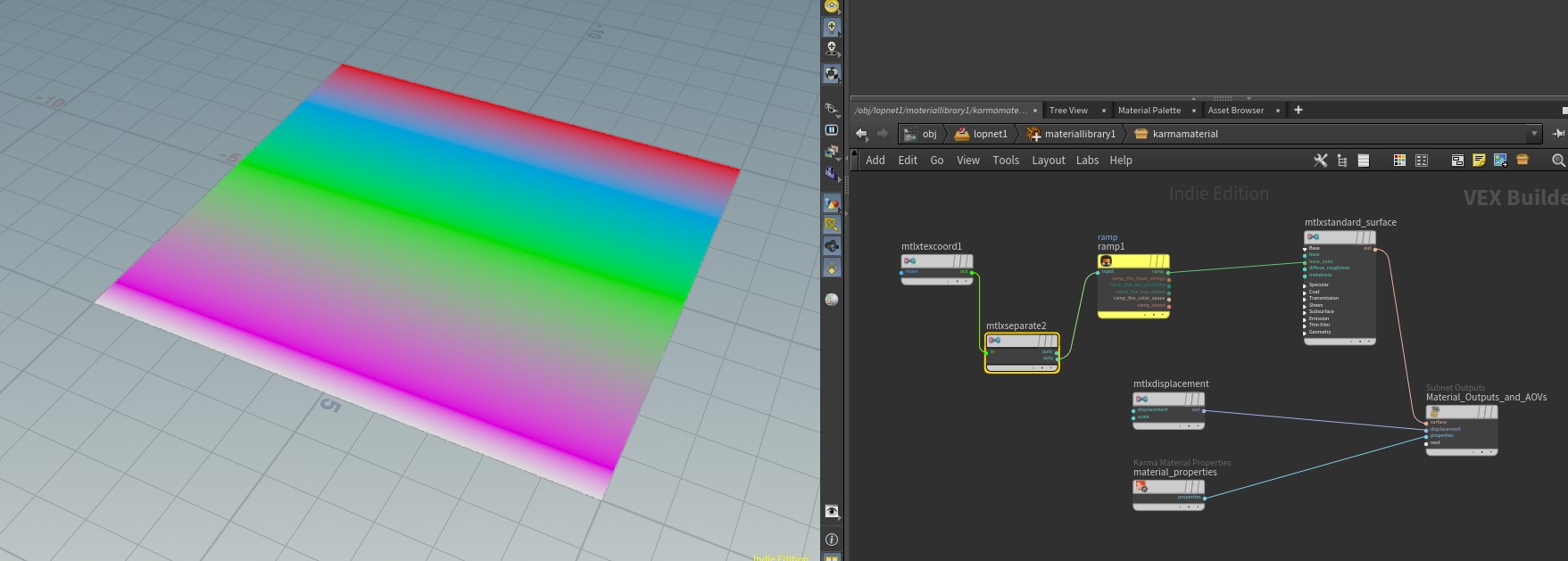
hiplckarmaMtlXRamp.hiplc — implementing ramps in MaterialX
-
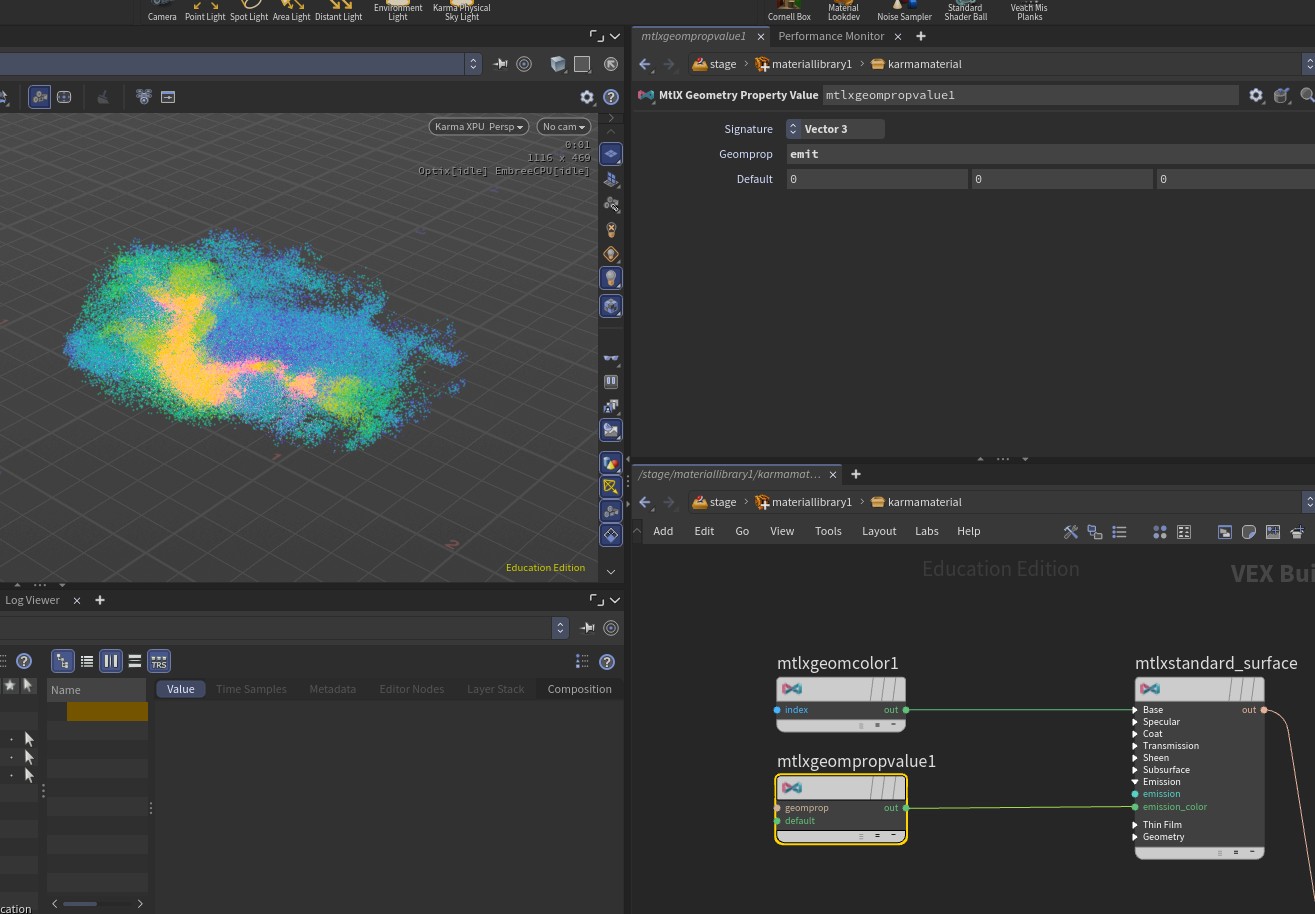
In the above files you saw the mtlxgeomcolor node in action - you can also override other parameters similarly by referencing the mtlxgeompropvalue node.
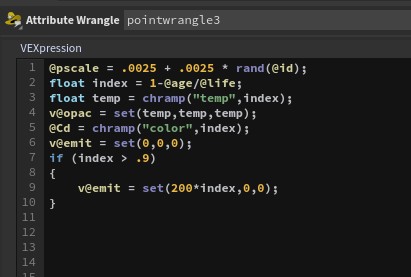
So for example, if you wanted to influence your emission color you can put the values in a wrangle and then read in the attribute via the mtlxgeompropvalue and assign it to the appropriate shader parameters
When you only have a single mesh coming into Solaris, use groups and packing to bring pieces in as separate prims so you can assign materials per part. These solutions work for principled shaders as well as MaterialX.
- hiplckarmaMtlXgroups.hiplc — groups and packing to bring pieces into LOPs
- hiplckarmaMtlXName.hiplc — groups and name node (or name-from-groups later in network)
- hiplckarmaMtlXgroupsWithName.hiplc — groups with name node for easier identification of parts
- hipnckarmaMtlXgroupsWithNameSplat.hipnc — wildcards and component-builder
You can also use groups in the pack version for easier identification of parts instead of "obj1" or "mesh0". Wildcards are introduced in the splat file along with component-builder.

Looking at standard_surface_glass.mtlx gives a better idea of how these shaders are stored in USD format:

In Solaris, you can use an Edit Material Properties node to adjust parameters on your shader.
