Houdini Karma Textures
Karma is the replacement for Mantra (as Mantra was not designed for USD file format). When discussing Karma, USD and Solaris should also be mentioned.
This page highlights basic texture assignment. Karma provides both CPU and XPU (GPU) options. In Houdini 20/20.5, Karma XPU is no longer in beta — it is gold. Karma CPU is production ready.
For a texture image, reference the file in the mtlx image node and plug it into the appropriate parameter, including mtlx displacement.
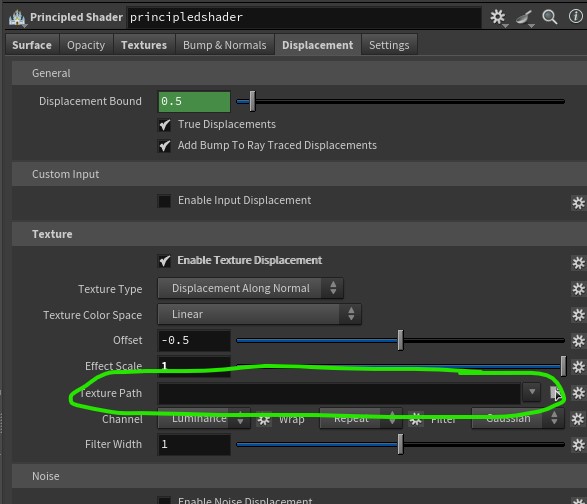
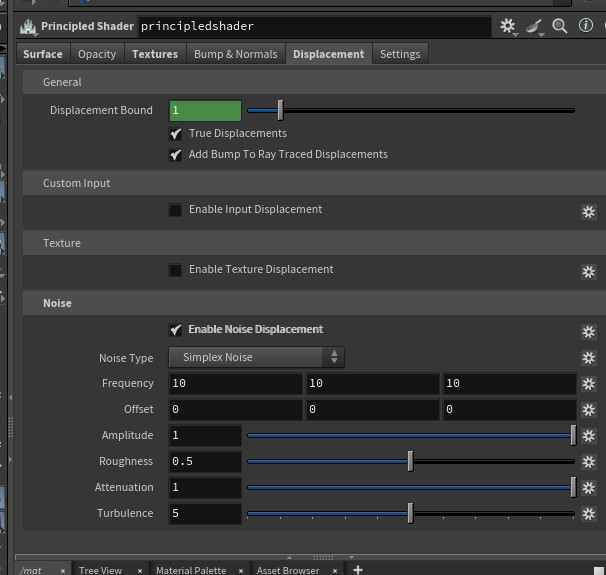
To apply a texture using the Principled Shader, place it in the Textures Tab in the appropriate parameter such as Displacement. Noise displacement controls are also available there.
If you are coming from Redshift you may be used to Maxon noise. Noise functions are available in MaterialX but require a few additional nodes in your shader network to scale correctly. In the example below, the mtlx noise node is plugged into the mtlx displacement node; however, to control the scale, a mtlx position vector and a mtlx multiply node must be added to adjust the position.

https://www.youtube.com/watch?v=M3KklGWCxyw
If you are using the Principled Shader (which Karma CPU still respects), displacement textures and noise are found as shown below: