Fluids - liquid
This page gives a history of the fluid solvers as well as the most popular ones in Houdini, which are in general:
- FLIP - made for large scale sims - uses a method called flippic (particles in cells)
- Ocean (small and large)
- Tanks (variety)
- Pop Fluid - ideal for small scale sims (similar to the SPH method but more stable, purely particle based)
- Vellum Fluids (recently introduced) - like pop, for small scale sims
If small detail accuracy is important (ie. 1cm scale, wine glass etc) use Pop Fluid, for large scale (think ocean) use Flip.
Historically, SPH fluids were used (fluids using points)
Points are then surfaced.
FLIP were introduced to use a voxel grid to reduce the problems of SPH - advantages - you can use both pop operators and voxel operators (custom velocity, gas nodes) (see example files in the class notes)
Changes in H18 are outlined by graduate student Luke Vuilliomenet on the link below
- Documentation: Particle Fluids/Oceans/Viscous Fluids and Optimization
- Boat on Ocean H18 https://www.youtube.com/watch?v=ZLdZwQbzGWQ
- Houdini 17 - new pop fluid (is part of white water in 17)
- project files are available https://www.sidefx.com/tutorials/introduction-to-pop-fluids/
- Overview of Fluids -
Jeff Wagner at FMX 2018
- MASTERCLASS
- FLIP Fluids in H16 (1 hour - Ryan Goldade) with sample files
- ILLUME WEBINAR - Houdini FLIP Fluids (H15) (2.5 hours - Jeff Wagner) with sample files
What is a fluid? It is anything that takes the shape of its container (liquids and gasses). (quote here).
Fluid simulation - wiki "increasingly popular tool in computer graphics for generating realistic animations of water, smoke, explosions and related phenomena".
An excellent introduction by Mike Seymour in
fxguide on The Science of Fluid Sims is a must read.
(There is a follow up article that focuses on RealFlow
rather than Naiad and an fxpodcast from an interview with Double Negative's Harry Biddle
at DigiPro from July 2013.)
Rob Bridson, co-founder of Exotic Matter
(creators of Naiad) from UBC, has some excellent references on the underlying
equations controlling fluids for computer graphics. Many of the
references are to Siggraph 2006 and 2007 courses as well as his
co-authored book on Fluid Simulation for Computer Graphics. I
would suggest to start by looking at the course notes.
Also Zhu and Bridson's
Siggraph 2005 paper on "Animating
Sand as a Fluid" which Houdini’s FLIP-PIC solver is
based on according to H12 documentation. In that version SPH was no longer
recommended and FLIP was for everything.
Particle fluids (SPH
and FLIP and now PBD). Particle fluid simulations use
particles to represent fluid. For visualization and
rendering, the particles are surfaced (surface
is created based on the particles).
- SPH (particle-only)
- not recommended since version 11, but good to be aware
of technique. (good for slow-moving fluids that react to
fast-moving constraints, such as a glass of water)
- FLIP (particle plus
grid) - similar to SPH - solver copies the particles'
velocities onto a grid and calculates a new velocity
field that is copied back onto the particles.
Recommended for large fluid sims.
- PBD (position-based
dynamics) - similar to SPH, recommended for small fluid
sims
You should have knowledge of other methods
as well, however as of Houdini 12 and higher, FLIP is
recommended. However in Houdini 17 pop fluid was introduced
and is used for generating whitewater.
To simulate most
liquids use FLIP. As of H17, PBD (pop fluid) is available
for small fluid sims. For fluids such as smoke and flame -
use pyro.
Documentation tips at http://www.sidefx.com/docs/houdini/fluid/tips.html
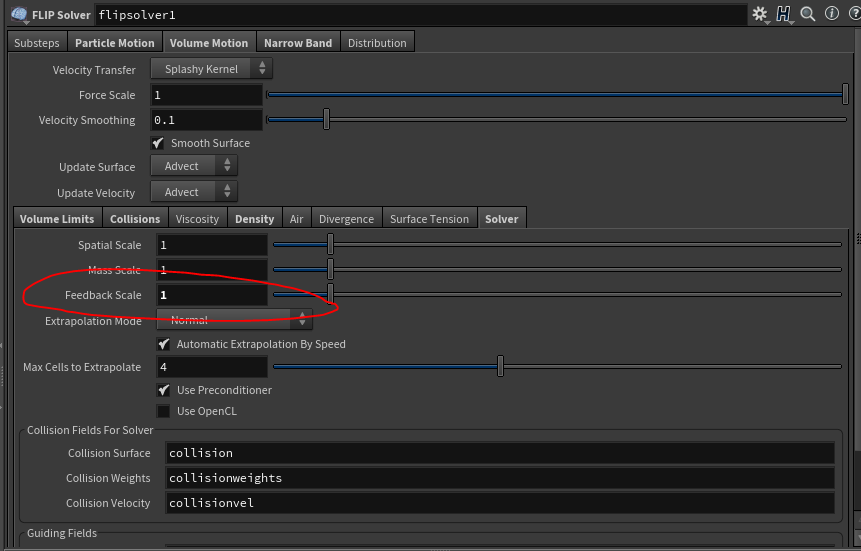
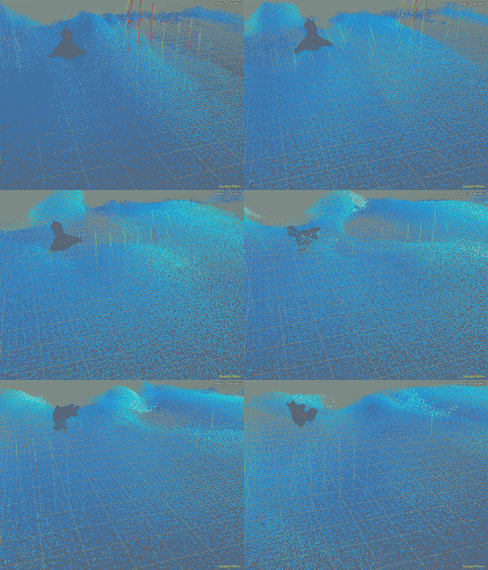
Below is rubber toy with density 100, feedback 1 and particle separation .2 on the default beach tank. (To avoid rubber toy's body parts from self destructing be sure to use a hero RBD.)
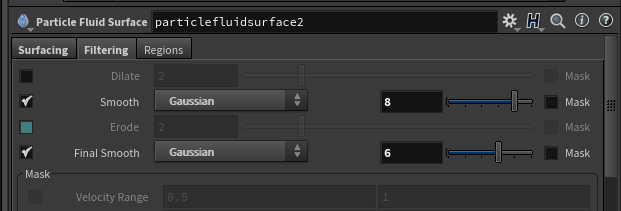
If your fluid is "glitching" take a look at the tips for the particle surfacing fluid
node. Turn reseed off, but you can also adjust the surfacing
parameters: https://www.sidefx.com/docs/houdini/nodes/sop/particlefluidsurface.html
On linux, if you have multiple rops that would be useful to run at once, create fetch nodes in your out context (reference your rop driver in your fetch), attach them to a merge node and then command line rop out your cache bgeo.gz (or bgeo) files using the command line as follows (note this is also available on windows by running the Houdini Command Line Tools to bring up a ms-dos shell with the correct path settings. In ms-dos, dir is used instead of ls).
hscript filename.hipnc
cd out
render -Va -I merge1
Example file: fetchExample.hipnc
Keep in mind you could even read the bgeo information from another hipnc - all you need is the file node to read it in.
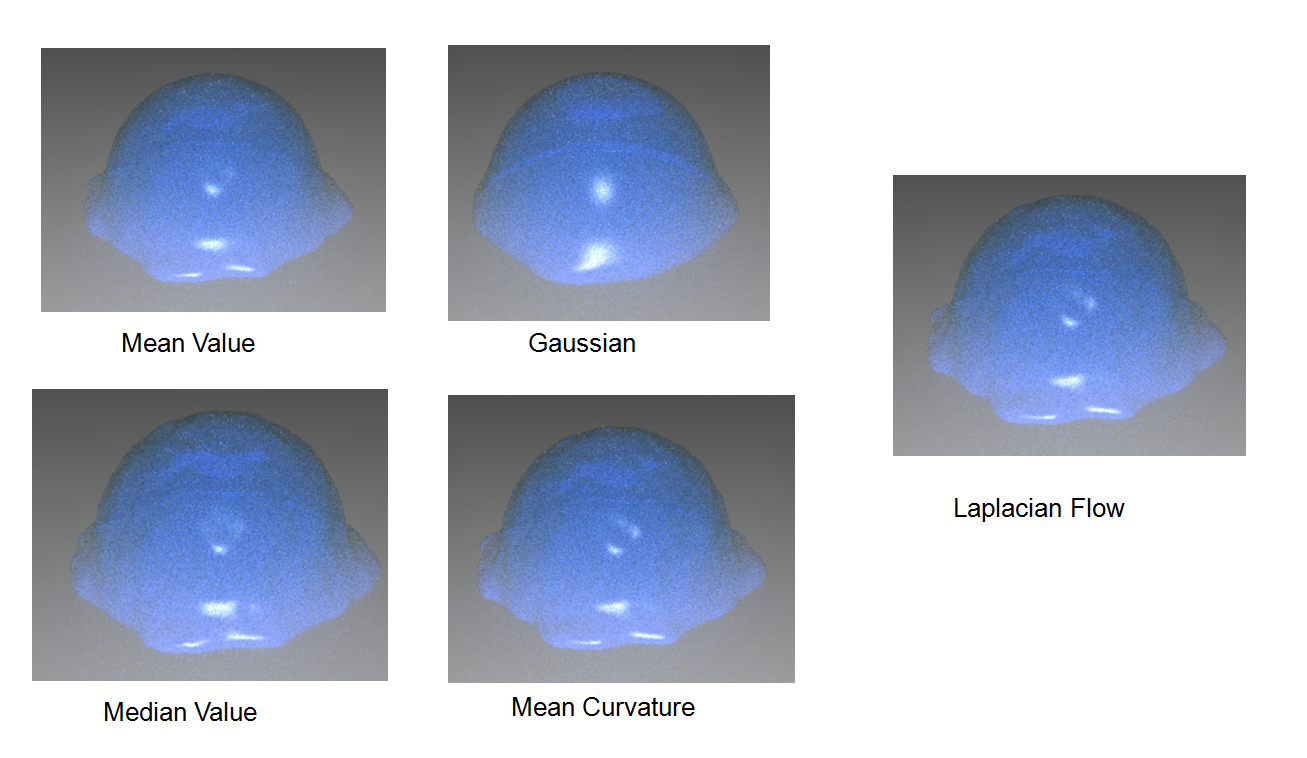
Are you in H12.5 or H13? In H12.5 - try a different operation type on your VDBSmoothSDF. Here is a diagram on a simple fluid showing the differences in the operations. But why use H12.5? Now in H13 it comes with a VDBfromParticleFluid which creates less lumpy fluid.
The flip setup for creating a fluid mesh does not use the particle surface node now. It converts the points to a volume using vdb nodes and transfers the velocity using a wrangle node (vex snippet).
H12.5 had additional features changing the look of the flip fluid network. OpenVDB nodes and point wrangle now appear in the particle fluid node. In H13 OpenVDB nodes are used with a new VDBFromParticleFluid and an attribtransfer in place of the point wrangle.
If you were to create a sphere and make it a FLIP Fluid, you would automatically get the following:
- AutoDopNetwork - inside are the usual
suspects including gravity and the
- flip fluid object - particle fluid
object
- particle separation - increasing
lowers the resolution but is faster, measured in
meters - low value of .02 give more details but it
really depends on your scene scale. Default is set to
.1
- particle radius scale - detail of the surface - higher values result in smoother surface
- grid scale - considered good for
most applications
- unexpected collision behavior?
- tip - enable Collision and Collision Velocity visualization under the guides tab
- thin objects may need proxy
collision geometry (volume proxy now default)
- flip solver - is a hybrid between a particle based and volume based fluid sim. Fluid data is stored in the particles however the pressure projection step is done on a volume that is created. A temporary velocity field is made. Particle velocities are transferred to a grid and the grid is used to perform the fluid projection.
- sphere_object1_fluid
- (see image below)
- sphere_object1_fluidinterior - displays nothing, but imports the RENDER output from the fluid object. This object has a uniformvolume shader assigned to it (the other has basic liquid). A good example of its use is with the murky liquids mentioned above.
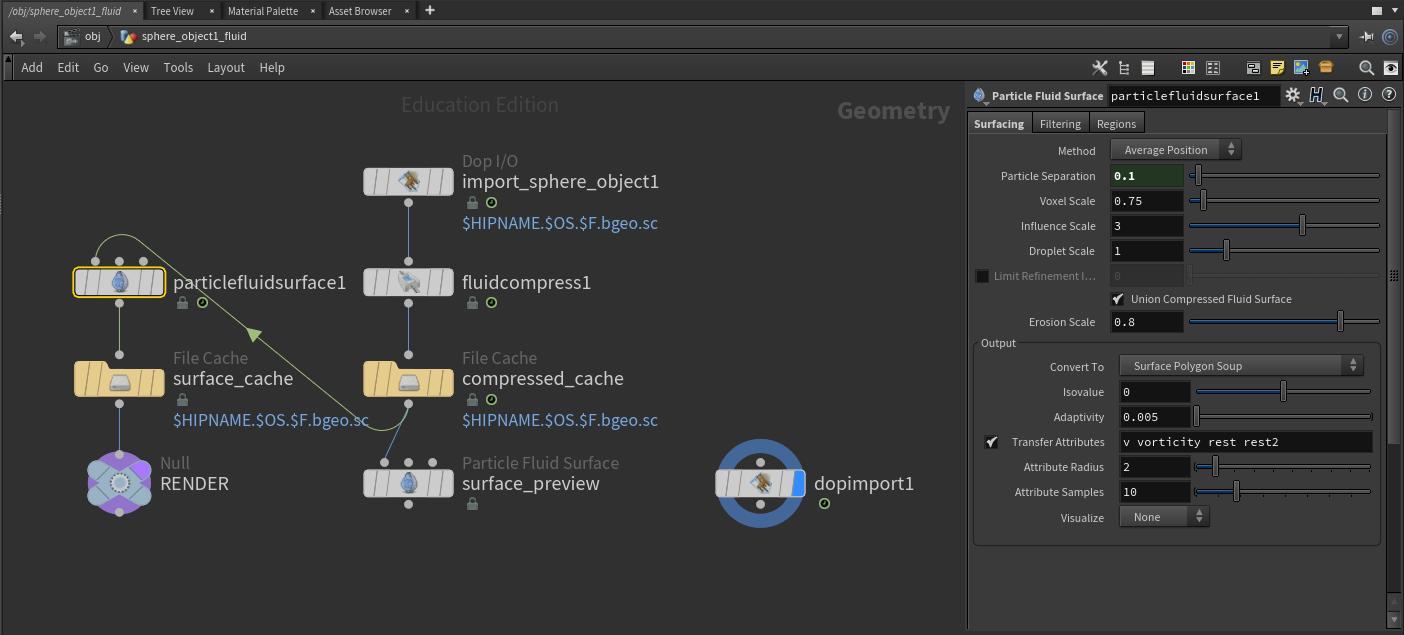
TMI - Previously from version 13:
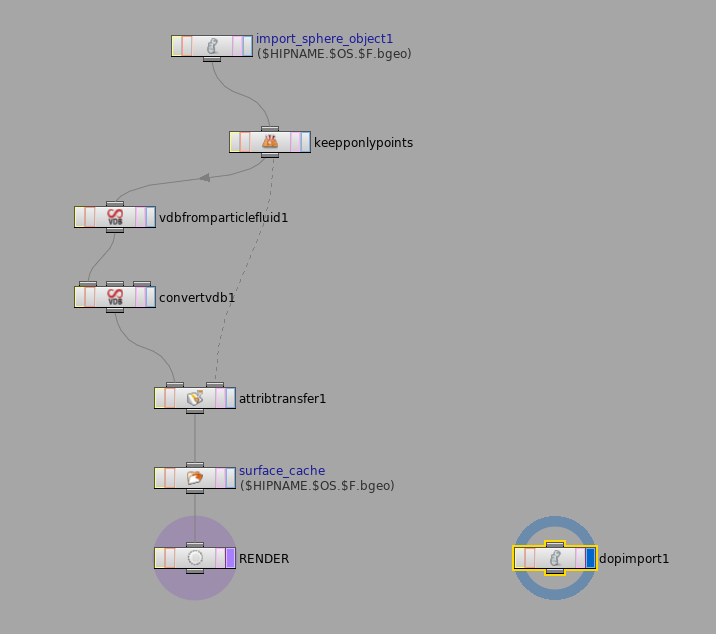
From version H13 (vdb from particle fluid node replaces the previous 12.5 version of vdb from particles/vdb smooth nodes)