RBD Bullet Example
Wheel Dropping Spheres - walking thru an example of the bullet solver and modeling tips
Although I have stated in class and put reminders all over my website, I find that it is still the case that it is easy to forget about scale when using dynamics.
In this example, I will show a case of modeling, executing dynamics and then finessing that dynamic. Three lessons to always keep in mind:
- REFERENCE, REFERENCE, REFERENCE (even if you are not trying to duplicate something, base it in reference)
- SCALE MATTERS (in dynamics this will make a huge difference)
- when you use dynamics, you gain physics but as a result, relinquish some control (it can often be tweaked, cheated, or coded)
This project was inspired by a video I saw on youtube and thought it might be fun to try
https://www.youtube.com/watch?v=O5XpSpI6pdk
Here is my version as the moment:

Let's look at the process.
The inner gear - take a circle, group points, transform
that group, extrude the result
The outside gear - a curve copied and joined, fused, then
boolean-ed with a circle, extruded
The details - really easy - just a reminder to add details to your
projects


The first attempt was to try a few spheres and see how well this
worked. This was not modeled at the correct size, so the motion is
slow not only in rotation but in the effects of gravity. Although
it was possible to get more spheres even with greater rotation
speed the spheres would not fall quickly since they were .4 units,
about 1.2 feet. I wanted to show this pictorial as I have many
places on my website where I state SCALE MATTERS IN DYNAMICS, but
it is common to overlook.
The next two designs are at approximately the correct scale. The
speed matches the video with about 1 revolution per 4 seconds (if
you watch the video from .9 to .13 you will see it revolves once).
The wheels are spinning in opposite directions at the same speed
($F * 4).
In 24 frames per second that means at frame 96 a revolution has
been completed.
The initial placement of the spheres had to be tweaked carefully as the result was highly dependent on the shape of the collision objects. The third picture below - you can see the balls fall sooner into the inner wheel, the fourth with some slight tweaking of the procedurally built wheel the motion matches the video more closely.


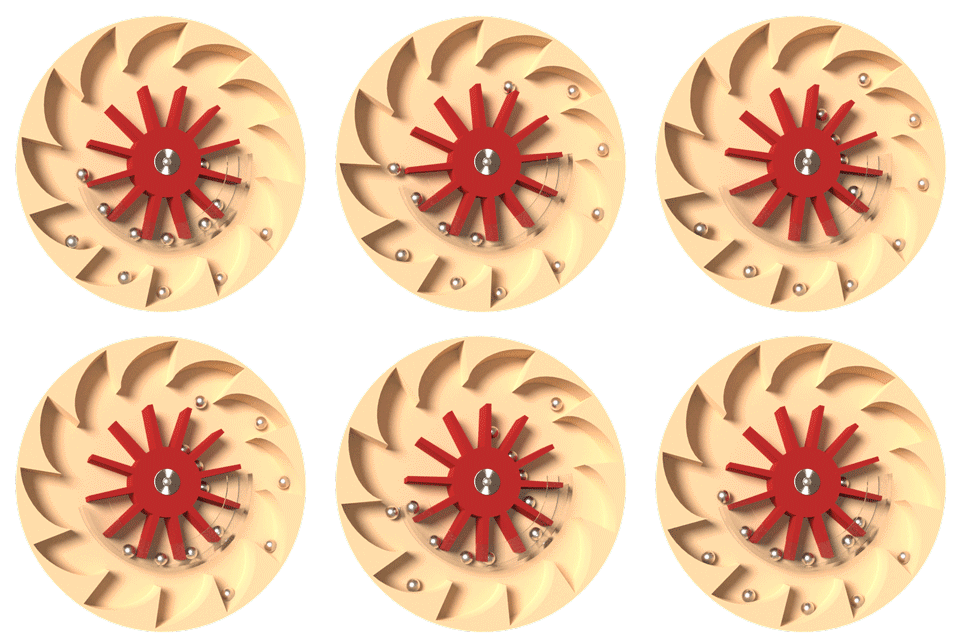
- check scale - remember that Houdini's units are 1 meter and weight in kg
- adjust physical properties of your objects
- remember to make your geometry concave if it cannot be "shrink wrapped"
- model in Houdini
- cache out your sim if you are getting differing results on the renderfarm